How to Write High-Converting eBay Product Titles: SEO Guide for UK Sellers (2026)
A strong eBay title helps the marketplace understand what you are selling and helps buyers recognise a relevant listing quickly.
The goal is not to pack the title with random keywords. It is to use eBay’s limited title space to describe the item accurately using the words a genuine buyer is most likely to search for.
eBay Listing Optimisation Guide
eBay search, listing tools, item specifics and marketplace requirements can change. This guide focuses on practical title principles that align with current eBay listing guidance.
Last reviewed: October 2026
How Should You Write an eBay Title?
Use the title to communicate the item’s strongest searchable identifiers as clearly as possible.
A useful starting structure is:
Brand + Model or Style + Product Type + Size or Key Specification + Colour + Important Attribute
For example:
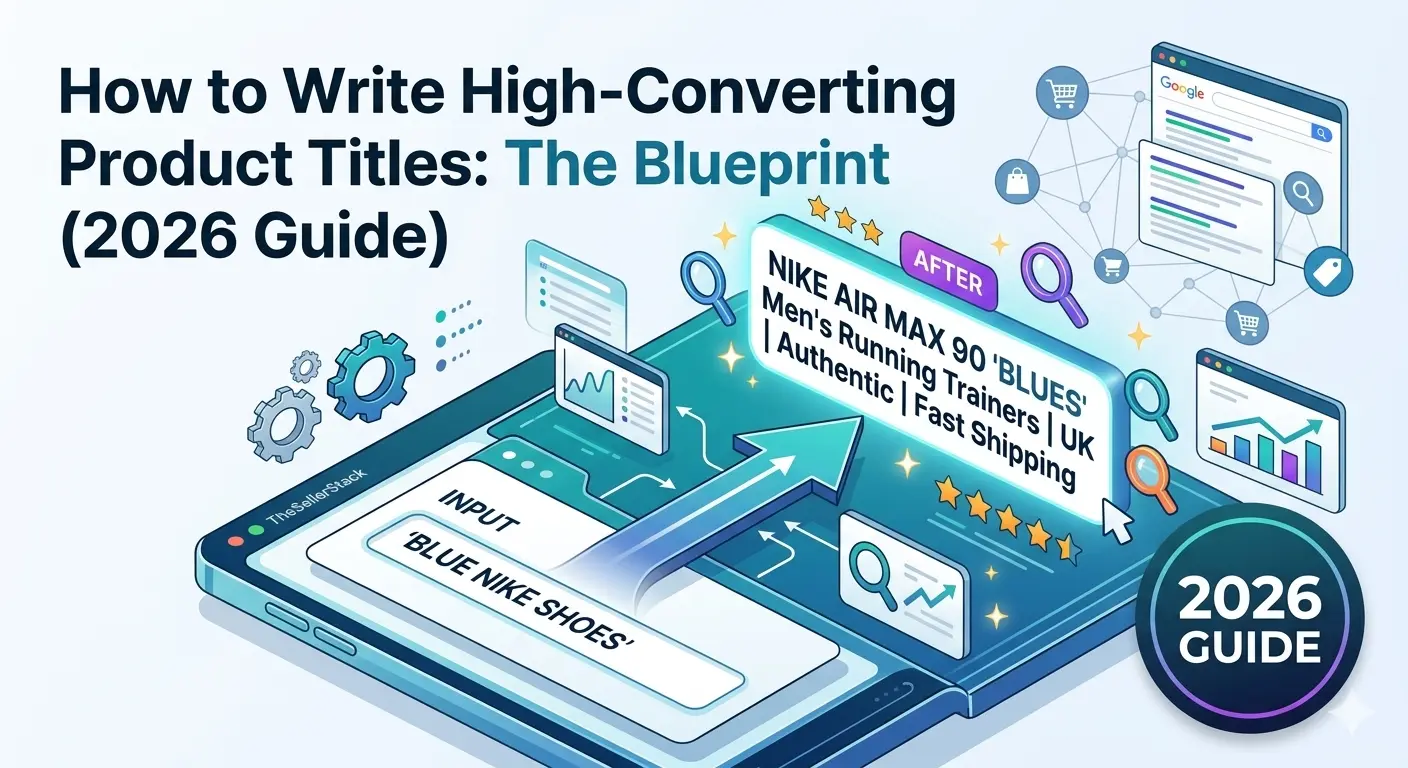
Nike Air Max 90 Men’s Trainers Size 10 Navy Blue Running Shoes
eBay titles can contain up to 80 characters. Use that space for relevant product information rather than promotional filler, repeated words or decorative symbols.
Your Title Matters — But It Is Not the Whole of eBay SEO
When a buyer enters a search, eBay tries to identify listings that are relevant to that request.
The listing title is an important part of that process, but it does not operate by itself.
eBay’s Best Match system can also consider factors such as:
- How closely the listing matches the buyer’s search
- Item popularity
- Price
- Listing quality and completeness
- Photos and description quality
- Delivery, handling and return terms
- Your seller track record
A Better Title Cannot Rescue a Weak Listing
Rewriting the title may improve relevance, but poor photos, unrealistic pricing, missing item specifics or weak seller terms can still limit the listing’s performance.
Think of the title as one important part of a complete listing, not a shortcut around the rest of it.
Understand eBay’s 80-Character Title Limit
eBay currently gives sellers up to 80 characters for the listing title.
eBay itself encourages sellers to make good use of the available space and include useful identifiers such as:
- Brand
- Model or product type
- Colour
- Style
- Size
- Model number where relevant
Use the Space — Don’t Fill It for the Sake of It
An accurate 67-character title is better than an 80-character title padded with vague phrases such as “WOW”, “LOOK”, “BARGAIN” or “AMAZING”.
Add another term only when it communicates something useful about the item or reflects a realistic way a buyer may search for it.
Step 1: Research the Words Buyers Actually Use
The strongest titles normally begin with product research rather than guesswork.
Search for the exact or closely comparable item and look at how buyers and successful listings describe it.
Start With eBay Product Research
eBay’s Product Research tool can be particularly useful because it lets sellers investigate real marketplace data, compare listings and identify data-driven keywords that may attract buyers.
When researching a title, look for recurring identifiers among genuinely comparable products:
- Exact brand name
- Model name or number
- Product type
- Size or specification
- Colour
- Material
- Generation, year or series
- Style or recognised product family
Do Not Copy Another Seller’s Title Blindly
Another seller may have identified the item incorrectly, included irrelevant keywords or described a different variation.
Use comparable listings for research, then verify the details against the actual product you have.
Step 2: Build the Title Around Product Identifiers
There is no single formula that suits every eBay category, but a structured starting point makes titles easier to write consistently.
General eBay Title Formula
[Brand] + [Model / Style] + [Product Type] + [Size / Specification] + [Colour] + [Important Attribute]
Fashion & Clothing
Brand + Style / Range + Item Type + Department + Size + Colour + Material / Feature
Weak: Blue Nike Jumper
Stronger: Nike Men’s Fleece Hoodie Large Navy Blue Full Zip Sportswear
Electronics
Brand + Model + Capacity / Specification + Variant + Colour + Key Feature / Condition
Weak: Apple Phone Black
Stronger: Apple iPhone 13 128GB Midnight Unlocked Smartphone
Collectables
Brand / Franchise + Item Type + Year / Series + Edition / Character / Variant + Condition
Weak: Old Star Wars Figure
Stronger: Star Wars Luke Skywalker Action Figure 1995 Kenner POTF2 Vintage
Replacement Parts
Brand + Part Type + Part / Model Number + Compatibility + Important Specification
Exact model numbers and part numbers can be particularly valuable where buyers are trying to find a precise replacement or compatible component.
Include them when they are accurate and genuinely useful to identifying the item.
Step 3: Put the Most Useful Information Early
There is a common claim that eBay automatically gives the first words in a title greater ranking weight.
SellerStack would not treat that as a proven eBay rule.
There is still a good reason to put the strongest identifiers near the beginning: it makes the title easier for buyers to scan and ensures the item’s core identity appears prominently when space is limited.
Lead With What Identifies the Product
For most branded products, start with the brand and model or recognised product name.
Then add the attributes that help distinguish your variation: size, capacity, colour, material, generation, fit or other relevant specifications.
Less useful: Great Condition Black 128GB Phone Apple iPhone 13 Unlocked
Clearer: Apple iPhone 13 128GB Midnight Black Unlocked Smartphone
Step 4: Think Like the Buyer
Buyers usually search using the attributes that matter most to the purchase.
A buyer looking for footwear might search by:
- Brand
- Model
- Product type
- Size
- Colour
- Gender or department
Someone looking for electronics may care much more about:
- Exact model
- Storage capacity
- Network status
- Generation
- Processor or specification
- Model number
The best keyword is not necessarily the term with the broadest possible audience.
A specific buyer searching an exact model, size or part number may be much closer to purchasing than someone entering a broad category term.
Step 5: Use Natural UK Marketplace Language
For listings aimed primarily at UK buyers, use the product terminology your likely customer would naturally recognise.
| Often Used in US English | Common UK Wording |
|---|---|
| Sneakers | Trainers |
| Sweater | Jumper |
| Pants | Trousers |
| Comforter | Duvet |
That does not mean every American synonym should be avoided. Some products are commonly searched under both terms.
Use your research to decide whether an alternative term genuinely earns space in the title.
Step 6: Do Not Make the Title Do the Job of Item Specifics
One of the biggest eBay SEO mistakes is focusing obsessively on the title while leaving item specifics incomplete.
eBay uses item specifics to help buyers find and filter relevant products.
Depending on the category, these can include:
- Brand
- Size
- Colour
- Style
- Material
- Model
- Storage capacity
- Connectivity
- Department
- Other category-specific attributes
Title Optimisation Is Not a Substitute for Completing the Listing
Fill in accurate required and relevant recommended item specifics where they apply.
A clear title and complete product data work together.
Product Identifiers Matter Too
Where the product has recognised identifiers such as an EAN, UPC, ISBN, model number or manufacturer part number, use the appropriate eBay fields accurately.
You do not need to cram every identifier into the title.
Include an identifier there when buyers realistically search for it and when it materially helps distinguish the exact product.
Step 7: Keep the Title Clean and Readable
eBay recommends clear, concise titles with correct spelling and advises sellers to avoid irrelevant words and unnecessary special characters.
Keep It Descriptive
- Use normal spacing
- Spell brands and models correctly
- Use recognisable product terminology
- Include meaningful specifications
- Keep the title easy to scan
Wasting Character Space
- L@@K
- WOW
- AMAZING!!!
- BARGAIN
- Repeated keywords
- Decorative symbols with no useful meaning
What About Capitals and Punctuation?
You do not need elaborate punctuation to separate every title attribute.
Simple spacing is usually enough.
Likewise, avoid turning the whole title into ALL CAPS. A conventional title is easier to scan and looks more professional.
Avoid:
!!! NIKE !!! AIR MAX 90 *** MENS *** SIZE 10 *** AMAZING !!!
Use:
Nike Air Max 90 Men’s Trainers Size 10 White Leather Running Shoes
Should You Put Condition in the Title?
Sometimes.
If condition materially affects how buyers identify or evaluate the item, adding a concise condition term can be useful.
Examples include:
- New With Tags
- Sealed
- Refurbished
- For Parts
- Boxed
But do not sacrifice an important model, size or specification simply to add a vague phrase such as “Excellent Condition”.
The dedicated condition field, photos and description should still explain the item’s actual state accurately.
Should You Add Synonyms?
Synonyms can be useful when buyers genuinely use more than one common term for the same item.
But using several near-identical words is not automatically better.
A pair of Nike Air Max might reasonably use both Trainers and Running Shoes if both accurately describe the item and there is room.
Repeating Nike Trainers Nike Shoes Nike Air Max wastes valuable title space without adding much new information.
Before and After: Better eBay Title Examples
| Product | Weak Title | Stronger Title |
|---|---|---|
| Trainers | Blue Nike Shoes | Nike Air Max 90 Men’s Trainers Size 10 Navy Blue |
| Phone | iPhone Black | Apple iPhone 13 128GB Midnight Unlocked Smartphone |
| Jeans | Levis Jeans Mens | Levi’s 501 Men’s Straight Leg Jeans W32 L30 Blue Denim |
| Football Shirt | Man Utd Shirt Large | Manchester United 1998 1999 Home Shirt Umbro Men’s Large |
| Camera | Canon Camera Good | Canon EOS 80D DSLR Camera Body 24.2MP Digital Black |
Worked Example: Building a Title Step by Step
Vintage Manchester United Football Shirt
Imagine you have identified:
- Club: Manchester United
- Season: 1998/99
- Type: Home football shirt
- Manufacturer: Umbro
- Department: Men’s
- Size: Large
A vague title might be:
Man Utd Shirt Large
A more informative title could be:
Manchester United 1998 1999 Home Football Shirt Umbro Men’s Large
The improved title gives the buyer substantially more information: full club name, season, product type, manufacturer, department and size.
Every addition describes the actual product rather than adding promotional language.
Your Title and Description Have Different Jobs
Do not try to fit the entire listing into the title.
The title should identify the product efficiently.
The description can then explain:
- Condition in more detail
- Measurements
- Included accessories
- Known defects or wear
- Compatibility
- Other information that helps the buyer make a decision
Write a Product Description That Answers Buyer Questions
Once the title clearly identifies the item, build a description that covers condition, measurements, flaws and other details buyers need before purchasing.
How to Improve the Title of an Underperforming Listing
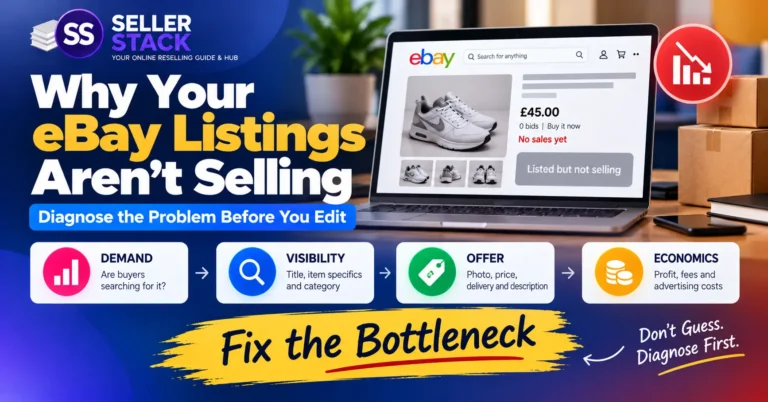
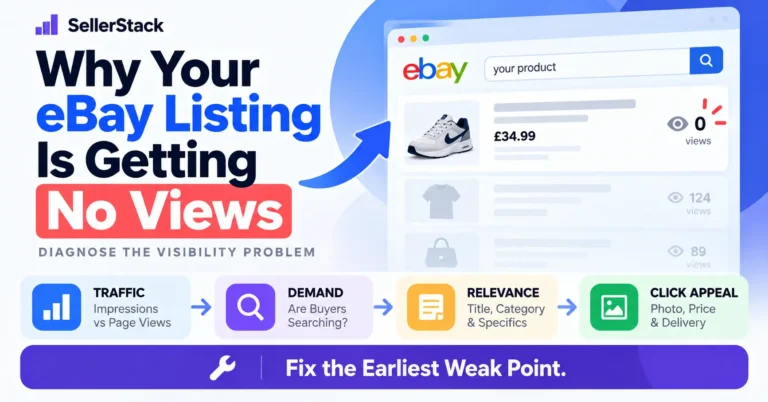
If an item is receiving very little visibility, reviewing the title is worthwhile—but do not assume the title is automatically the problem.
1. Verify the Product Identification
Confirm the exact brand, model, size, specification or product number before changing keywords.
2. Research Comparable Sales
Use eBay search and Product Research to examine comparable products and terminology.
3. Remove Low-Value Words
Delete promotional filler, duplicated words and attributes that do not help identify the item.
4. Add Missing High-Value Identifiers
Brand, model, size, capacity, colour or part number may be far more useful than generic adjectives.
5. Review Item Specifics
Check required and relevant recommended fields instead of focusing on the title alone.
6. Review the Whole Listing
Price, photos, postage, returns, condition and demand may be the real reason the item is underperforming.
Check the Numbers Before You Publish
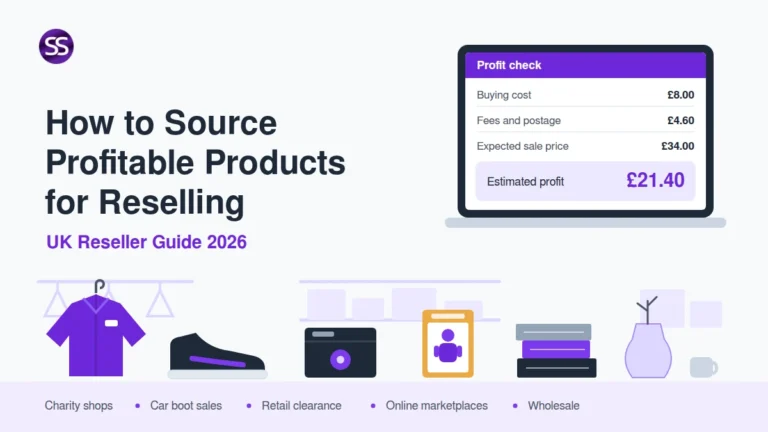
A better title can improve discoverability, but the sale still needs to make financial sense. Estimate eBay costs, profit, margin and ROI before setting your price.
Common eBay Title Mistakes
1. Writing a Title That Is Too Vague
“Nike Shoes” gives buyers and eBay very little information compared with an accurate brand, model, type, size and colour.
2. Using Promotional Filler
Words such as “WOW”, “BARGAIN” and “AMAZING” consume title space that could be used for real product details.
3. Repeating the Same Keyword
Repetition wastes limited character space instead of adding a new useful attribute.
4. Copying a Competitor Without Verifying the Item
Incorrect model years, materials or variations can mislead buyers and weaken listing accuracy.
5. Misspelling the Brand or Model
Check exact spellings, model codes and product names before publishing.
6. Ignoring Item Specifics
The title is only one part of how eBay understands and filters a listing.
7. Stuffing in Unrelated Keywords
Only use terms that accurately describe the item being sold.
8. Treating the Title as the Only Ranking Factor
Listing quality, price, completeness, seller performance and selling terms can all affect Best Match performance.
9. Using Every Character With Filler
Make good use of the available space, but stop when additional words no longer improve the listing.
10. Making Unsupported SEO Assumptions
Be cautious with claims that a particular punctuation style, word order or “secret algorithm trick” guarantees higher placement. Base decisions on eBay guidance and observable marketplace data instead.
SellerStack eBay Title Checklist
- Is the brand correct?
- Is the exact model or style included where known?
- Does the title clearly state the product type?
- Have I included the size or key specification?
- Is colour useful for this product?
- Would buyers search for a model or part number?
- Have I removed irrelevant promotional words?
- Have I avoided unnecessary repetition?
- Is the spelling accurate?
- Is the title easy to scan?
- Are my item specifics complete and accurate?
- Does every keyword genuinely describe the item?
eBay Product Title SEO FAQs
How many characters can an eBay title have?
eBay currently allows up to 80 characters in a listing title. Use the space for accurate, relevant product details rather than filler or repeated words.
Should I use all 80 characters?
Use as much of the available space as is genuinely useful. eBay encourages detailed titles, but there is no benefit in padding a complete title with irrelevant words simply to reach the limit.
What should come first in an eBay title?
For many products, starting with the brand followed by the model or recognised product name makes the item easy to identify. The ideal order depends on what buyers need to distinguish that particular product.
Does eBay give the first keyword more ranking weight?
eBay’s published Best Match guidance does not state a simple rule that the first words automatically receive greater ranking weight. Put strong identifiers early primarily for clarity and buyer scanning rather than treating word position as a guaranteed ranking trick.
Should I repeat keywords in my eBay title?
Usually not. Repetition consumes limited title space that can often be used for another helpful specification or product attribute.
Should I include the condition in the title?
Include a concise condition term when it materially helps identify the product or is important to buyer intent. Otherwise, prioritise stronger identifiers and use eBay’s condition field and description for fuller detail.
Are item specifics important for eBay SEO?
Yes. eBay says item specifics help buyers find items and recommends completing required and relevant recommended details.
How can I find better keywords for an eBay title?
Research comparable items, examine genuine sold and top-performing listings and use eBay Product Research to investigate marketplace data and relevant search terminology.
Can changing the title fix a listing with no views?
It can help if the existing title is vague or inaccurate, but low visibility may also relate to price, demand, category, item specifics, photos, postage or overall listing quality.
Describe the Product Clearly — Don’t Try to Outsmart the Search Engine
The strongest eBay titles are usually straightforward.
Identify the product accurately, use the attributes buyers care about, make sensible use of the 80-character allowance and remove words that add no useful information.
Then support the title with complete item specifics, good photos, realistic pricing and an accurate description.
Better eBay SEO comes from building a stronger listing—not from stuffing a title with supposed algorithm tricks.
Check Current eBay Listing Guidance
eBay can change listing fields, search systems, item-specific requirements and seller tools.
SellerStack reviews this guide periodically, but no title formula can guarantee search placement, impressions, clicks or a sale.
For important listing decisions, check the current guidance and category requirements shown within your own eBay account.
View current eBay UK listing guidance →
Last reviewed: October 2026
Turn the Click Into Buyer Confidence
Once your title helps the right buyer find the listing, make the product easier to evaluate with an accurate, useful description.
Read the Product Description Guide →