SELLERSTACK SHOPIFY PILLAR GUIDE · UPDATED FOR 2026
How to Start a Shopify Store in the UK in 2026
Learn how to set up, price, launch and manage a Shopify store in the UK — from choosing products and configuring payments to shipping, fees and building a repeatable ecommerce workflow.
Shopify gives UK sellers the tools to build their own online store rather than relying entirely on third-party marketplaces. But having a storefront does not automatically create demand, profit or a sustainable business.
A successful Shopify store needs a viable product, clear pricing, reliable fulfilment, sensible payment costs, strong product pages and a plan for bringing customers to the site.
This guide walks through the complete Shopify UK setup for 2026 — from choosing a plan and adding products to payments, shipping, marketing, taxes and calculating whether the store actually makes financial sense.
How Do You Start a Shopify Store in the UK?
Create a Shopify account, choose the plan that fits your stage, add your products, configure Shopify Payments or another payment provider, set up shipping and tax settings, connect a domain, test the checkout and launch the store.
The technical setup is only one part of the job. You also need a product people want, enough margin to cover your costs, and a realistic customer acquisition plan.
Moving From Marketplace Selling to Your Own Store?
Shopify gives you more control over branding and the customer journey, but you also become more responsible for traffic, conversion, fulfilment and ongoing store costs.
1. Why Use Shopify?
Shopify is a hosted ecommerce platform that combines storefront design, product management, checkout, payments, inventory and order management in one system.
Your Own Storefront
You control your domain, branding, product presentation and much more of the customer journey than you would on a marketplace.
Central Product Management
Products, inventory, customers and orders can be managed from the Shopify admin.
Integrated Payments
Shopify Payments can process eligible transactions directly within Shopify without requiring a separate primary card processor.
Built-In AI Tools
Shopify currently includes Sidekick and other AI-assisted features that can help with store administration, content and analysis.
Marketplace or Shopify?
Marketplaces can provide access to an existing audience. A Shopify store gives you more control, but you normally need to generate or acquire more of your own traffic.
Many sellers eventually use both rather than treating the decision as one or the other.
2. Understand Shopify UK Plans and Pricing
Shopify currently offers Basic, Grow, Advanced and Plus plans for UK merchants.
For most small online sellers, Basic is the natural starting point unless a specific higher-plan feature or lower payment rate justifies upgrading.
| Plan | Yearly Billing | Monthly Billing | Standard Online Card Rate | Typical Fit |
|---|---|---|---|---|
| Basic | £19/month | £25/month | From 2% + 25p | Solo sellers and smaller stores |
| Grow | £49/month | £65/month | From 1.7% + 25p | Growing teams and established stores |
| Advanced | £259/month | £344/month | From 1.5% + 25p | Higher-volume and international operations |
Shopify Introductory Offers Can Change
Shopify currently advertises a three-day free trial followed by £1 per month for the first three months on eligible plans.
Treat promotional pricing as temporary. Build your business model using the normal subscription cost you expect to pay afterwards.
The Subscription Is Not Your Total Store Cost
Themes, apps, domains, email tools, advertising, product costs, fulfilment and payment processing can all add to the real monthly cost of running the store.
3. Understand Shopify Payments and Transaction Costs
Shopify Payments is Shopify’s integrated payment system and is available to eligible UK merchants.
Your card-processing rate depends on your Shopify plan and the payment method used.
| Plan | Standard Online Card Rate | Third-Party Transaction Fee |
|---|---|---|
| Basic | From 2% + 25p | 2% where applicable |
| Grow | From 1.7% + 25p | 1% where applicable |
| Advanced | From 1.5% + 25p | 0.6% where applicable |
Shopify Payments Can Avoid Third-Party Transaction Fees
When Shopify Payments is used as the payment processor, Shopify does not charge the normal third-party transaction fee on qualifying Shopify Payments transactions.
You still pay the applicable Shopify Payments card-processing rate.
Different Cards and Payment Methods Can Have Different Rates
The headline standard online card rate is not necessarily the rate for every transaction. International cards, American Express, Klarna and other payment methods can have different costs.
4. Decide What Your Shopify Store Will Actually Sell
Shopify is a store platform rather than a marketplace category system, so your product model is much more flexible.
Stock You Hold
Buy or manufacture stock, hold the inventory yourself and fulfil customer orders directly.
Curated Resale
A Shopify store can be used for vintage, collectables, refurbished products or other legitimate resale inventory.
Print-on-Demand
Products can be manufactured and fulfilled after the customer orders, reducing the need to hold finished inventory.
Dropshipping
A supplier can fulfil orders directly to the customer, although the retailer remains responsible for the customer experience and business obligations.
Low Inventory Risk Does Not Mean Low Business Risk
Dropshipping and print-on-demand reduce the amount of stock you need to hold, but supplier reliability, product quality, shipping times, refunds, advertising costs and customer service still affect the viability of the business.
Validate the Product Before Building Around It
A polished store cannot compensate for an item with weak demand, unrealistic pricing or insufficient margin.
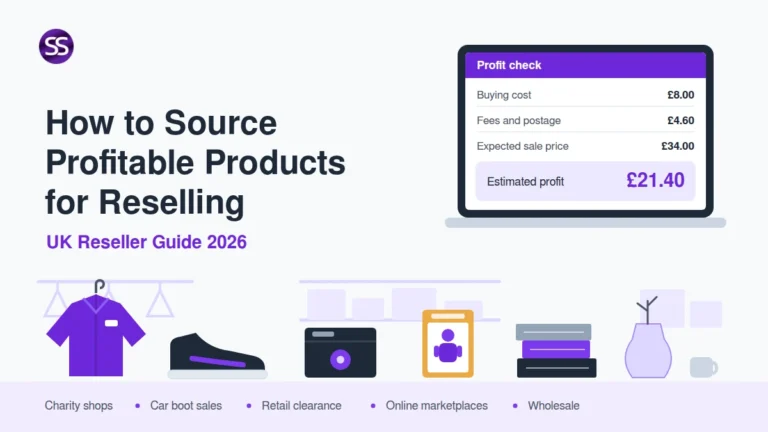
Check Your Buying Limit
If you are purchasing stock for resale, work backwards from the expected selling price and target return before placing the order.
5. Build the Shopify Store in the Right Order
-
Create your Shopify account.
Use accurate business and contact information from the beginning. -
Choose an appropriate theme.
Start with a clean theme that supports your products rather than paying for complexity you do not yet need. -
Connect your domain.
Use a branded domain so customers are not relying solely on the default Shopify address. -
Add your core products.
Build complete product pages rather than importing hundreds of weak listings immediately. -
Configure payments.
Activate Shopify Payments or another suitable provider and understand the charges that will apply. -
Configure shipping.
Define delivery zones, prices, free-shipping rules and processing times. -
Review tax settings.
Configure Shopify appropriately for your business and check the tax obligations that apply outside the platform. -
Add essential policies.
Make returns, privacy, delivery and other customer-facing information easy to find. -
Test the full checkout.
Check the site on mobile and desktop from product page through payment confirmation before sending real traffic.
6. Build Product Pages That Answer Buyer Questions
Product pages need to do the work that a marketplace listing, salesperson and physical shop display would normally share.
- clear product title
- strong original photographs
- useful product description
- accurate dimensions or sizing
- materials and specifications
- delivery expectations
- returns information
- variants such as size or colour
- price and any genuine promotional information
- clear add-to-cart action
Improve Product Photography
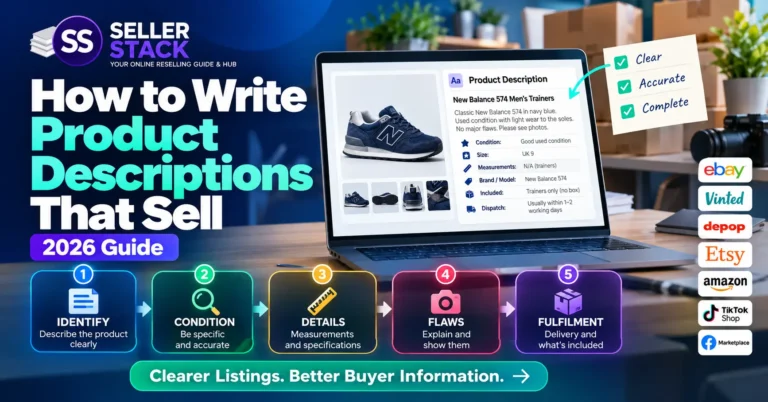
Write Better Descriptions
Explore the complete process in the Listings & Selling Skills Hub .
7. Test the Checkout Rather Than Assuming It Converts
Shopify currently uses one-page checkout as the default layout, although merchants can switch between one-page and three-page checkout.
You do not need to install an app simply to activate a basic modern Shopify checkout.
- test the checkout on a phone
- check shipping charges before payment
- test discount codes if you use them
- confirm tax presentation
- review payment methods
- check order-confirmation emails
- make sure policy links are accessible
Avoid Unnecessary Checkout Apps
Every extra app should have a clear reason to exist. Apps can add subscription cost, script weight and operational complexity.
8. Build Shipping Into the Price and Customer Experience
Your Shopify subscription does not remove the normal economics of fulfilment.
Packaging, parcel size, carrier cost, tracking and returns can all affect the final margin.
-
Measure the packed product.
Carrier prices depend on the final parcel rather than the bare item. -
Choose your delivery model.
Decide whether customers pay postage, receive free delivery above a threshold or have shipping built into product pricing. -
Set realistic processing times.
Do not promise next-day dispatch if your sourcing or production model cannot consistently support it. -
Track higher-risk orders where appropriate.
Consider order value and delivery risk when choosing services. -
Plan returns.
Returns create handling, postage and inventory costs that belong in the business model.
Compare UK Shipping Costs
Check Parcel Size
For the wider process, visit the Shipping & Fulfilment Hub .
9. Have a Traffic Plan Before You Launch
One of the biggest differences between Shopify and a marketplace is that a new standalone store usually does not begin with a built-in audience.
You need a realistic method of bringing suitable visitors to the site.
Search
Product pages, useful guides and technically sound pages can build organic search visibility over time.
Social Content
Short-form video, product demonstrations and visual content can help suitable businesses attract attention without relying entirely on paid advertising.
Email gives you a direct channel for customers who choose to hear from the business again.
Paid Advertising
Paid traffic can accelerate testing, but acquisition cost must still fit inside the margin available on the product.
Do Not Treat Paid Ads as the Default Solution
Advertising amplifies what is already there. If the product, price, margin or page is weak, buying more traffic can simply make the loss happen faster.
10. Calculate the Real Shopify Profit
Shopify gives you your own storefront, but that also means store-level costs need to be included in the financial model.
Basic Shopify Profit Formula
Sales revenue − product cost − payment fees − fulfilment − advertising − apps − allocated store costs − other expenses = profit
A £40 Shopify Order
Imagine a £40 order on a Basic store using a standard UK Shopify Payments card transaction.
At the current headline Basic standard online card rate of 2% + 25p, the payment-processing cost would be roughly £1.05.
But that is only one cost. You would still need to subtract the product, packaging, delivery, advertising and the appropriate share of recurring store expenses before deciding whether the order was profitable.
Set a Selling Price
Calculate Net Profit
Find Break-Even
Check ROI
For the wider numbers, visit the Pricing & Profit Hub .
11. Understand UK VAT and Keep Proper Store Records
Shopify can provide tax-calculation tools, but the seller remains responsible for understanding and correctly configuring the tax treatment that applies to the business.
Current UK VAT Registration Threshold
A UK business generally needs to register for VAT when taxable turnover for the previous 12 months goes over £90,000, or when it expects taxable turnover to exceed £90,000 within the next 30 days.
Different rules can apply in particular situations, including businesses established outside the UK.
- record sales revenue
- record Shopify subscription costs
- record payment-processing fees
- record app subscriptions
- record advertising costs
- record inventory and production costs
- record shipping and packaging
- record refunds and returns
- keep appropriate tax and VAT records where applicable
Check VAT Calculations
Tax, Records & Business
SellerStack provides general educational information, not individual tax, accounting or legal advice. Check current HMRC guidance where it applies to your circumstances.
Common Shopify Store Mistakes
Avoid These Shopify Errors
- Building the store before validating the product. A sophisticated website cannot create demand for a weak offer.
- Choosing a higher plan too early. Upgrade when a specific feature or financial saving justifies it.
- Counting only the Shopify subscription. Apps, processing, advertising, fulfilment and product costs matter too.
- Installing too many apps. Every app adds cost or complexity and should earn its place.
- Assuming dropshipping is passive. You remain responsible for the customer even when a supplier fulfils the parcel.
- Ignoring mobile usability. Test product pages, navigation and checkout on real mobile devices.
- Using weak product photographs. Your website does not have a marketplace’s wider trust to compensate for unclear product presentation.
- Launching without a traffic plan. Publishing the store does not automatically generate customers.
- Running ads before knowing the margin. Customer acquisition cost needs room inside the economics of the sale.
- Confusing revenue with profit. Measure what remains after both order-level and store-level costs.
The SellerStack Shopify Toolkit
Product Pricing Calculator
Build the selling price around your costs and required profit.
Resale Profit Calculator
Estimate the amount remaining after the wider costs of the sale.
Break-Even Calculator
Find the sales level or price required to cover the costs entered.
Frequently Asked Questions About Shopify UK
How much does Shopify cost in the UK?
Shopify currently lists Basic at £25 per month when paid monthly or £19 per month when billed yearly. Grow is £65 monthly or £49 on yearly billing, while Advanced is £344 monthly or £259 on yearly billing.
Additional costs can include card processing, apps, themes, domains, advertising and fulfilment.
Do I need coding skills to use Shopify?
No. Shopify provides a visual theme editor and hosted ecommerce infrastructure, so a standard store can be built without advanced coding.
More complex customisation can still require development skills or specialist help.
What is Shopify Sidekick?
Sidekick is Shopify’s built-in AI assistant. It can help merchants work with Shopify data and perform supported administrative tasks through natural-language requests.
Shopify currently includes Sidekick with its plans, although capabilities and usage can vary.
Does Shopify charge transaction fees?
Shopify Payments transactions carry the applicable card-processing rate. Shopify does not normally charge the separate third-party transaction fee on qualifying orders processed through Shopify Payments.
Third-party payment providers can introduce an additional Shopify transaction fee depending on the plan and payment setup.
Can I dropship with Shopify?
Yes. Shopify supports stores using dropshipping and print-on-demand models and provides apps that can connect stores with suppliers and fulfilment providers.
The merchant remains responsible for supplier choice, product quality, customer service and applicable legal obligations.
Does Shopify have one-page checkout?
Yes. Shopify currently sets one-page checkout as the default layout, although merchants can switch between one-page and three-page checkout through the Shopify admin.
Do I need to register for VAT to use Shopify?
Using Shopify itself does not determine whether you must register for VAT.
UK businesses generally need to register when taxable turnover exceeds the current £90,000 registration threshold, or when they expect to exceed it within the relevant forward-looking period. Other rules and exceptions can apply.
Is Shopify better than selling on marketplaces?
They solve different problems. Marketplaces can provide an existing buyer audience, while Shopify gives sellers greater control over their own storefront, branding and customer experience.
Many businesses use both.
Shopify Gives You More Control — and More Responsibility
Shopify can remove many of the technical barriers involved in building an ecommerce store, but it does not remove the commercial ones.
You still need a product people want, a price that leaves enough margin, reliable fulfilment and a realistic way to reach customers.
Start with the simplest setup that can validate the idea. Add apps, higher plans and advertising only when the numbers or operational need justify them.
Shopify Plans, Payments & Store Information
Information about Shopify subscription prices, payment-processing rates, transaction fees, checkout features, apps, fulfilment tools and platform functionality can change over time.
This guide is provided for general educational and planning purposes. Before making financial or ecommerce decisions, check current pricing, payment terms and platform information directly with Shopify. Tax and VAT obligations can vary depending on individual circumstances, so check current HMRC guidance or seek appropriate professional advice where necessary.
SellerStack is an independent resource and is not affiliated with or endorsed by Shopify.
Last reviewed: October 2026
Build the Store Around the Numbers
Get practical reseller worksheets, pricing checklists, fee references and direct access to SellerStack calculators.
Decide Whether Your Shopify Store Makes Financial Sense
Work through your price and expected profit before committing heavily to stock, apps or advertising.