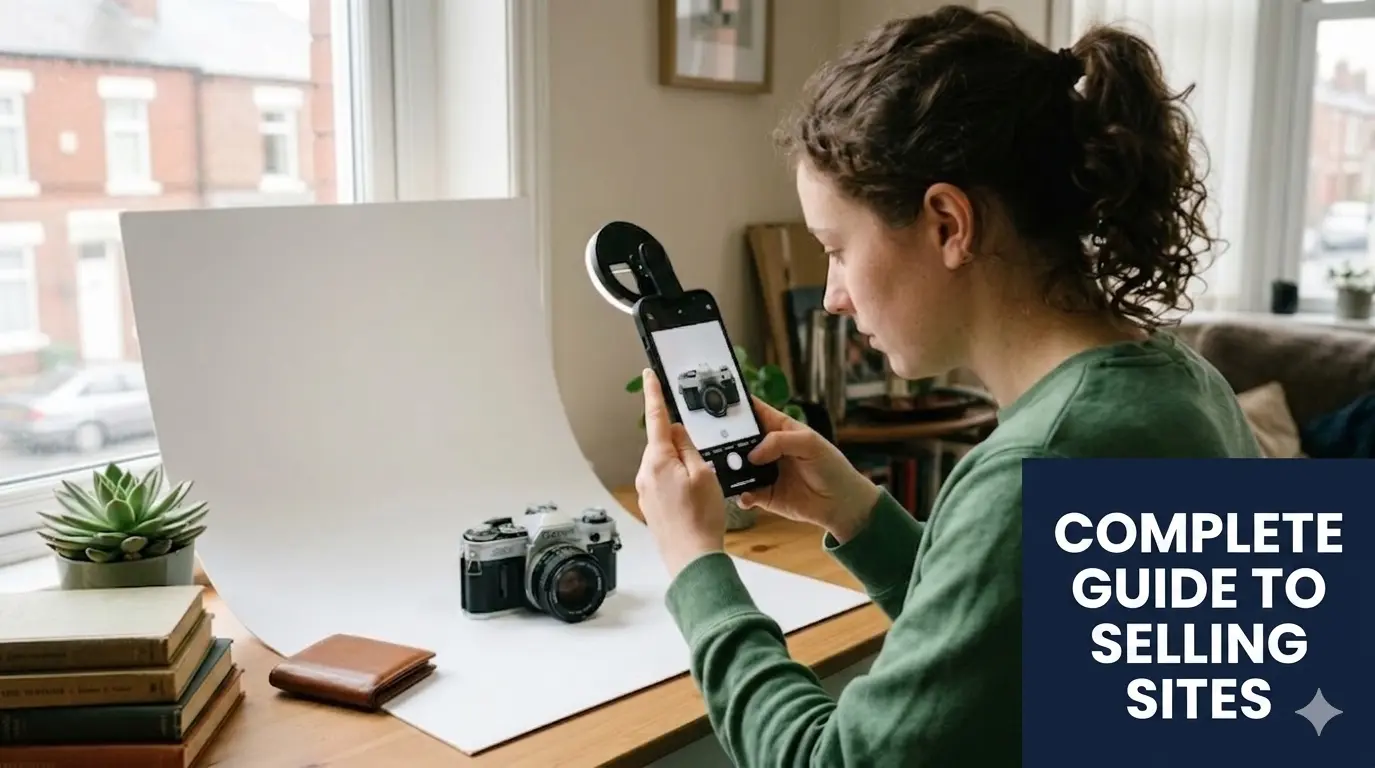
Product Photography 101: How to Take Photos That Sell (Using Only Your Phone)
In the 2026 reselling market, your photos are your digital storefront. When a buyer searches for an item, you have less than two seconds to stop them from scrolling straight past your listing.
The good news? You don’t need a £500 DSLR camera or a professional studio space. Your smartphone and a bit of natural British daylight are the most powerful conversion tools you own.
This guide will show you exactly how to capture professional-quality product photos using your phone to increase clicks, drive conversions, and maximise your sales.
Affiliate Disclosure: This post contains affiliate links. If you click through these links and make a purchase or sign up for a service, we may earn a small commission at no additional cost to you. We only recommend tools and services that we have personally vetted, tested, and believe will genuinely help you scale your reselling business. As an Amazon Associate, we earn from qualifying purchases.
Quick Answer: How Do You Take Great Reselling Photos?
The highest-converting product photos utilise soft natural daylight, a clutter-free background, and show multiple angles—including any flaws. You can easily achieve these results on any modern smartphone without buying expensive lighting rigs.
Want to see exactly how listing quality impacts your bottom line? 💡 Use our Free Break-Even Calculator
1. The Golden Rule: Use Natural Light
Forget expensive studio softboxes. The absolute best light for e-commerce photography in the UK is completely free.
To get clean, professional shots without harsh shadows or weird yellow tints, follow this setup:
- The Best Time: Shoot between 10 AM and 2 PM when daylight is brightest and most neutral.
- The Best Setup: Place your shooting station near a large window (preferably north-facing to avoid direct, blinding sunbeams).
- What to Avoid: Keep away from direct, harsh afternoon sunlight and never use your camera’s flash. Flash creates intense glare on plastic, distorts fabric colours, and hides important textures.
SS Pro Tip: Embrace the Overcast Grey, cloudy UK days are actually a reseller’s best friend. The cloud cover acts as a massive, natural softbox diffusion layer, spreading light evenly across your item without creating strong, dark shadows.
2. Choose the Right Background for the Right Platform
Your background should always highlight your product—never distract from it. In 2026, different platforms require completely different visual aesthetics to perform well in search algorithms.
For eBay & Amazon: The Clean Corporate Look
- The Strategy: Use a crisp, pure white background.
- The DIY Setup: You don’t need a professional backdrop. A roll of white poster board or a large piece of matte white cardstock curved against a wall creates a perfect, seamless infinity wall for small items. White backgrounds index far better on Google Shopping search results.
For Vinted & Depop: The Lifestyle Look
- The Strategy: Lean into neutral, aesthetic lifestyle backdrops.
- The DIY Setup: Utilise a clean wooden floor, a neutral-colored rug, a minimalist concrete surface, or a tidy wooden desk. Buyers on these platforms want to feel like they are shopping a curated, high-end personal wardrobe.
3. The 3 Essential Photo Angles
To give your buyers absolute confidence to hit “Buy Now,” every single listing you create should include at least these three fundamental shots:
- The Hero Shot: The main feature photo. This should show the full item, perfectly centred, straight-on, and well-lit.
- The Detail Shot: Close-ups showcasing logos, fabric texture, size tags, material labels, and serial/model numbers.
- The Flaw Shot: Clear close-ups of any minor damage, scuffs, pulling, or wear.
Absolute transparency builds immediate consumer trust. Showing flaws upfront doesn’t kill sales; instead, it sets clear expectations and drastically reduces your return rates.
4. Simple Phone Settings That Make a Big Difference
Before you take your first picture, configure your phone to maximise its built-in hardware:
- Clean your lens: Your phone lives in your pocket or on your desk. Wipe the lens with a microfiber cloth before every session to remove fingerprint grease and instant blur.
- Tap to focus and expose: Don’t let the phone guess what to look at. Tap the screen directly on the product to lock the focus and ensure the lighting balance balances around the item itself.
- Turn on grid lines: Go to your phone’s camera settings and enable the “Grid.” Use these lines to keep your horizons perfectly straight and your items perfectly centred in the frame.
5. Quick Editing (Keep It Real)
You don’t need heavy Photoshop skills or intense filters. In fact, heavy filters will get you banned on some platforms. Stick to basic, minor adjustments:
- Raise the Brightness slightly if your room is a bit dim.
- Adjust the Contrast to make the true colours of the item pop accurately.
- Use a background removal tool if you are trying to achieve a pure white background for eBay.
⚠️ Avoid Over-Editing: Your photos must match reality exactly. If you digitally alter a colour or hide a stain in editing, the buyer will file an “Item Not As Described” dispute the moment it arrives, forcing you to pay for return shipping.
6. Add Scale to Your Photos
One of the biggest reasons listings sit unsold is buyer uncertainty around sizing. Photos can be visually deceiving.
- For Small Items: Place a 50p coin or a standard pen next to the item (like jewellery, collectables, or loose tech accessories) so buyers instantly understand the scale.
- For Clothing Items: Don’t rely on the size tag alone. Lay a physical tape measure flat across the chest (pit-to-pit) and the length of the garment, and take a top-down photo.
SS Pro Tip: Lower Your Return Rate Taking 5 seconds to photograph a tape measure resting across a garment provides undeniable proof of fit, which slashes your return rate and protects your seller ratings from sizing complaints.
Key Takeaways for High-Converting Photography
- Free, natural daylight always beats expensive artificial lighting equipment.
- Match your backdrop to the marketplace (White for eBay/Amazon, lifestyle for Vinted/Depop).
- Document every angle, tag, and defect to build trust and eliminate returns.
- Keep edits minimal—accuracy is what drives profit.
Optimise Your Listings Like a Pro
Never guess your numbers before you list. Pair your high-converting photos with our free optimisation tools:
- 🧮 Free UK Marketplace Fee & Profit Calculator
- 💰 Your Ultimate Guide to Selling on Etsy UK & Maximising Profit (2026 Edition)
- 📦 The Ultimate UK Sourcing Guide: Where to Find Profitable Stock
Frequently Asked Questions
Can I use stock photos from the brand’s website?
No. Using stock photos is a massive risk. First, it violates intellectual property (IP) and copyright laws, which can lead to your listing being removed or your seller account being suspended. Second, marketplace buyers want to see the actual condition of the exact item they are purchasing. Using original photos builds authenticity and protects you against item-condition disputes.
What should I do if my room has no good natural light?
If you live in a dark flat or have to list items late at night, invest in a cheap, daylight-balanced LED ring light or a set of small LED panels. Look for bulbs specified as “5500K” (Kelvin)—this temperature mimics natural sunlight perfectly, ensuring your colours stay true without turning artificially yellow or blue.
Should I model the clothes myself or use a hanger?
For platforms like Vinted and Depop, flat-lays or clean hanger shots against a blank wall convert exceptionally well and take minimal time. If you have the time and space, modelling or using a mannequin can help higher-end vintage or tailored pieces sell faster, as it displays how the garment drapes. For everyday fast-fashion brands, clean flat-lays on a neutral background are perfectly sufficient.
🚀 Next Step ➡️
Now that your photos look clean and professional, your next job is making sure buyers can actually find them when using search filters.
👉 Read Next: How to Write High-Converting Product Titles: The SEO Blueprint